Kiosk Mode
Let customers build their order while staff focuses on fulfillment. The WebJoint Kiosk helps dispensaries handle peak traffic without hiring more budtenders.
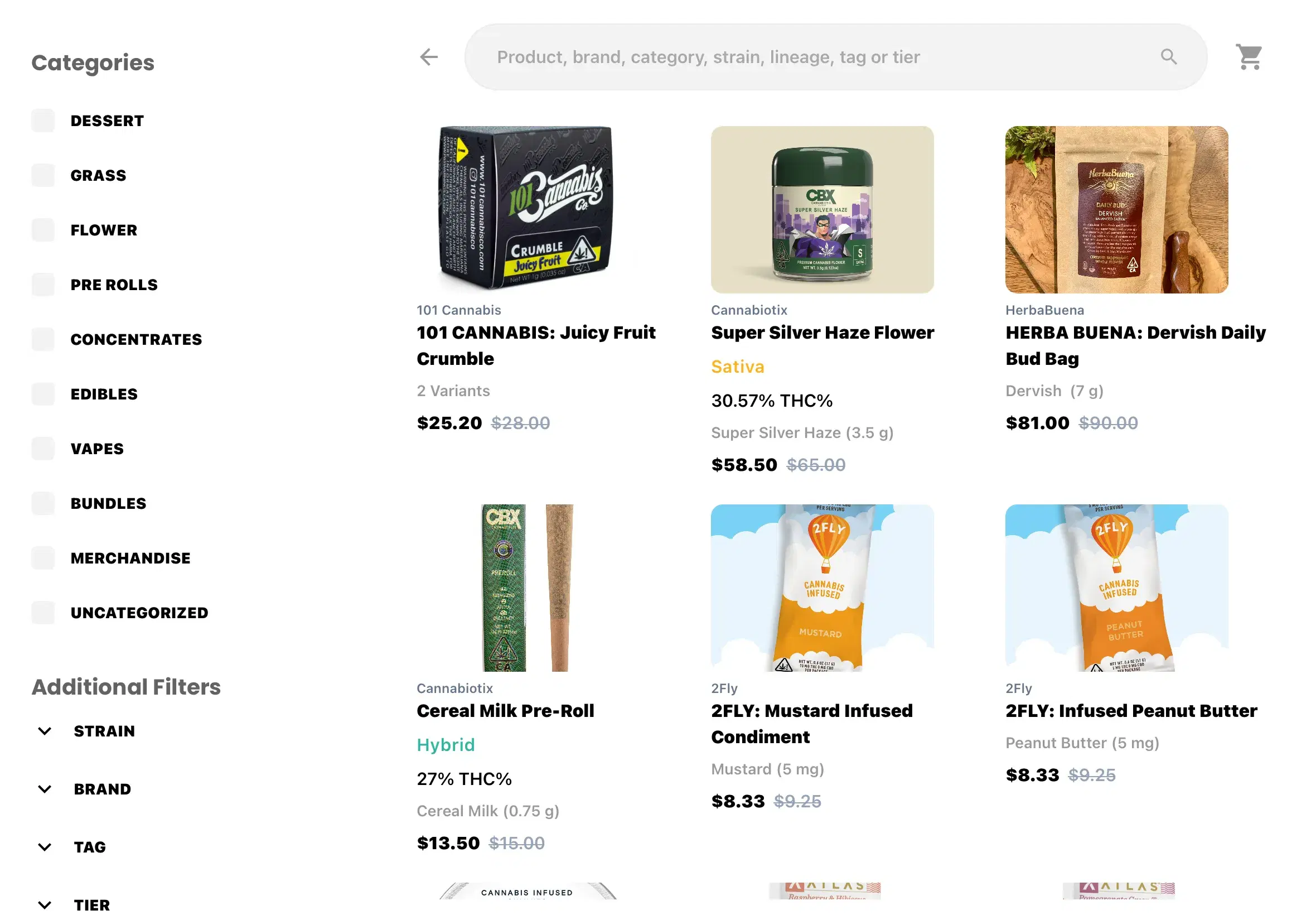

Why Use a Self-Serve Kiosk?
Kiosks let customers take control of their browsing experience while your team focuses on what matters—fulfilling orders and keeping lines moving.
Move Customers Through Faster
Customers browse and build orders while staff handles checkout. Reduce bottlenecks during peak hours.
Increase Output Without More Staff
Serve more customers per hour without adding budtenders. Let existing staff focus on fulfillment.
Lower Cost, Higher Throughput
No additional payroll. Just an iPad running the same WebJoint menu your POS already uses.
From Browse to Checkout in 5 Steps
The kiosk handles order building. Staff handles verification and payment. Clean separation keeps things compliant and efficient.
Browse the Menu
Customers explore your full product catalog with categories, filters, and search.
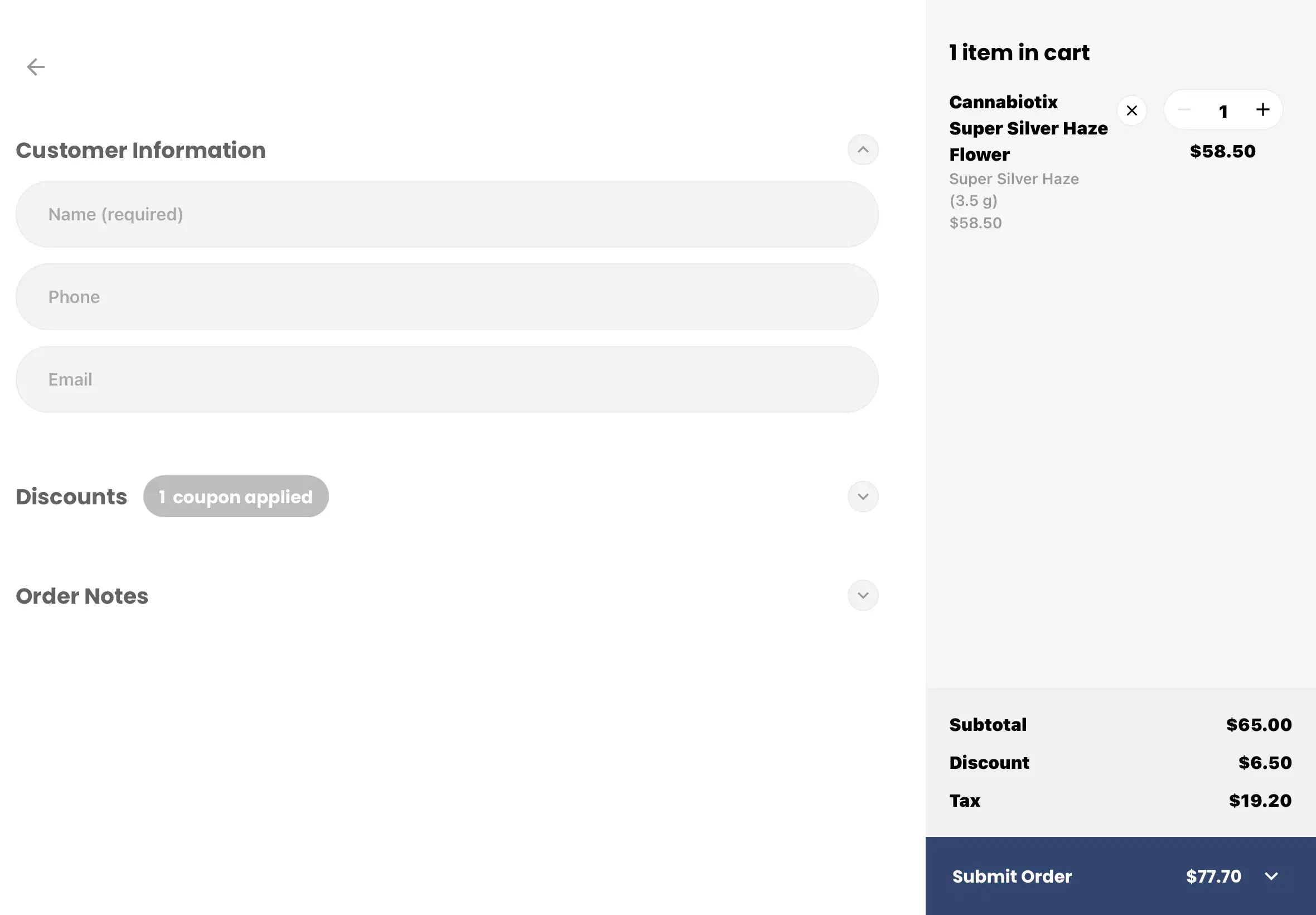
Build an Order
Add products to cart, view details, and adjust quantities—just like your online store.
Optional QR Login
Returning customers can scan a QR code to log in with their ID already on file.
ID Verified by Staff
Staff verifies identity at the register. Compliance checks happen at checkout.
Order Finalized in POS
Staff pulls up the order in the POS, processes payment, and completes the sale.
No payments are taken at the kiosk. All compliance checks—ID verification and purchase limits—remain with staff at the register.
Everything You Need in a Kiosk
The WebJoint Kiosk runs the same menu as your POS—no separate system to manage. Inventory syncs in real time.
Same Menu as POS
Real-time inventory sync. Products, prices, and availability match your POS exactly.
iPad-Based Interface
Runs on any iPad. No special hardware or complicated setup required.
Guest or QR Login
Customers can order as guests or scan a QR code to log in with stored ID.
Orders Flow to POS
Kiosk orders appear in your POS queue. Staff picks them up and processes payment.
Built for High Traffic
Designed for dispensaries that need to move customers through quickly during peak hours.
Simple, Focused UI
Distraction-free browsing experience. Customers find what they need without confusion.
Compliance Stays With Staff
The kiosk is for order building only. All compliance verification—ID checks and purchase limits—happens when staff finalizes the order at the register.
ID Verified by Staff
Identity verification happens at the register, not at the kiosk. Staff controls compliance.
Purchase Limits at Checkout
Limits are enforced when staff finalizes the order in the POS—same as any other sale.
Order Records in POS
All kiosk orders are tracked in your POS with full transaction history and reporting.
Supported markets: California, New York, Massachusetts, and other regulated states.
Handle Rush Hours Without Extra Headcount
When your dispensary gets busy, kiosks absorb the load. Customers browse and build orders independently, freeing your budtenders to focus on checkout and fulfillment.
- Multiple kiosks serve customers simultaneously
- Staff stays focused on register and fulfillment
- No additional labor cost during peak times
- Customers appreciate the self-service option

Included With Your WebJoint POS
Kiosk mode is a free feature inside the WebJoint POS app. No extra subscription, no additional software.
What You Get
- Kiosk mode included free with WebJoint POS
- Available inside the existing POS app
- No additional software to install
- Same menu and inventory as your POS
What You Need
- iPad (any recent model)
- Active WebJoint POS subscription
- Kiosk stand or enclosure (optional)
- Wi-Fi connection
Kiosk Mode Questions
Common questions about self-serve kiosks, compliance, hardware, and how it integrates with your POS.
Explore More POS Features
Kiosk Mode is just one part of the WebJoint Point of Sale system.
Serve more customers without growing your payroll.
See how kiosks fit into your existing POS workflow—and help your team handle more customers during peak hours.