Customer Profiles
One customer record connects your POS, online store, and delivery. Always current, always compliant, always accessible.
ID Verified
Within limits
Loyalty Points
520 points earned
321
Customers
4
Groups
Order History
47 orders total
VIP Group
10% auto-discount
Ban Control
Block transactions
James Davis
Adult Use - Verified
One Profile Across Your Entire Operation
Every customer has a single centralized profile that connects their POS transactions, online store account, and delivery orders. No duplicate records, no fragmented data.
When a customer creates an account online, a full backend profile is automatically created. Their ID submissions, delivery addresses, and order history are tied to that profile from the start. If your customer data lives in three different systems, your team wastes time every day reconciling it.
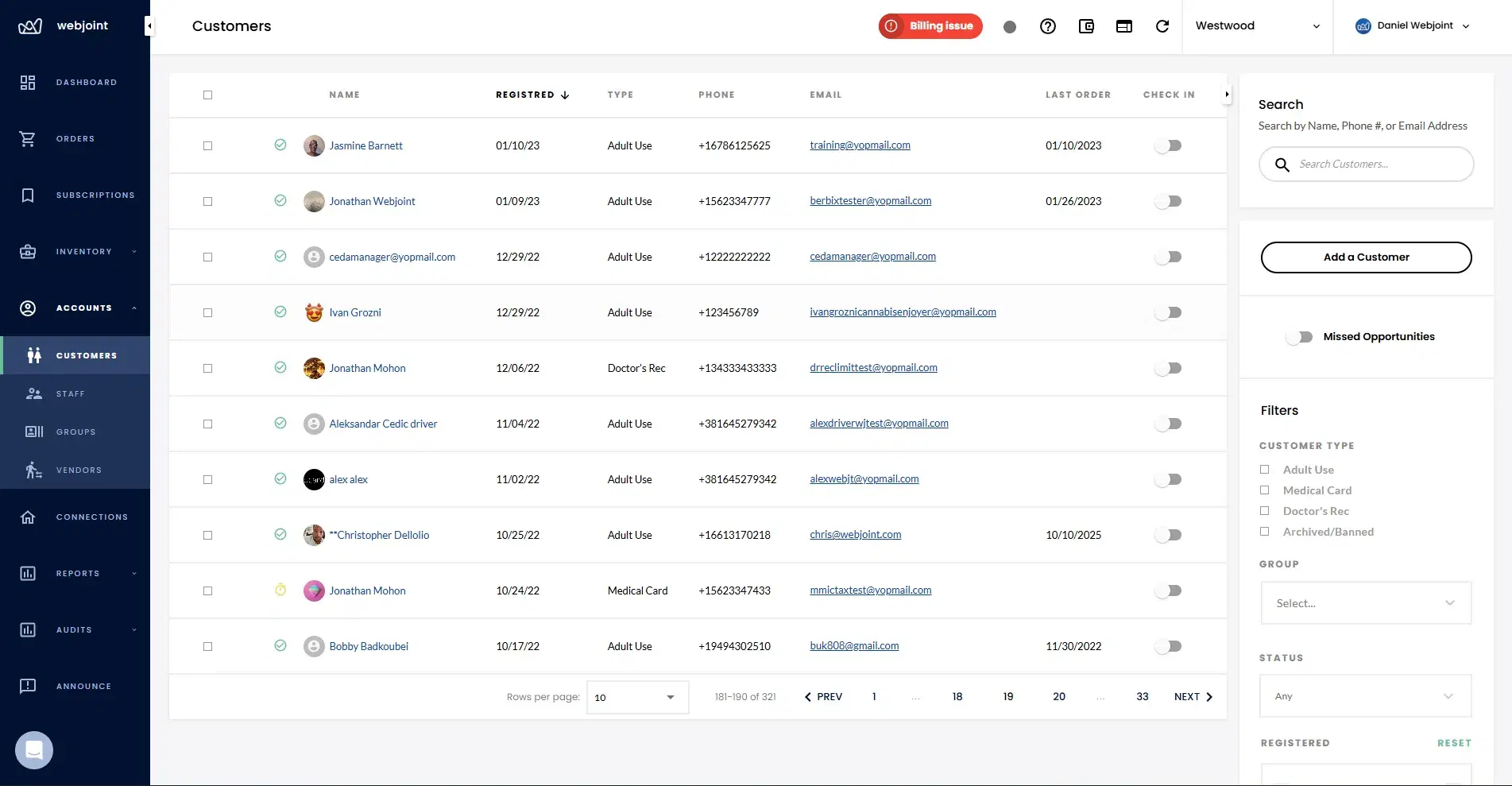
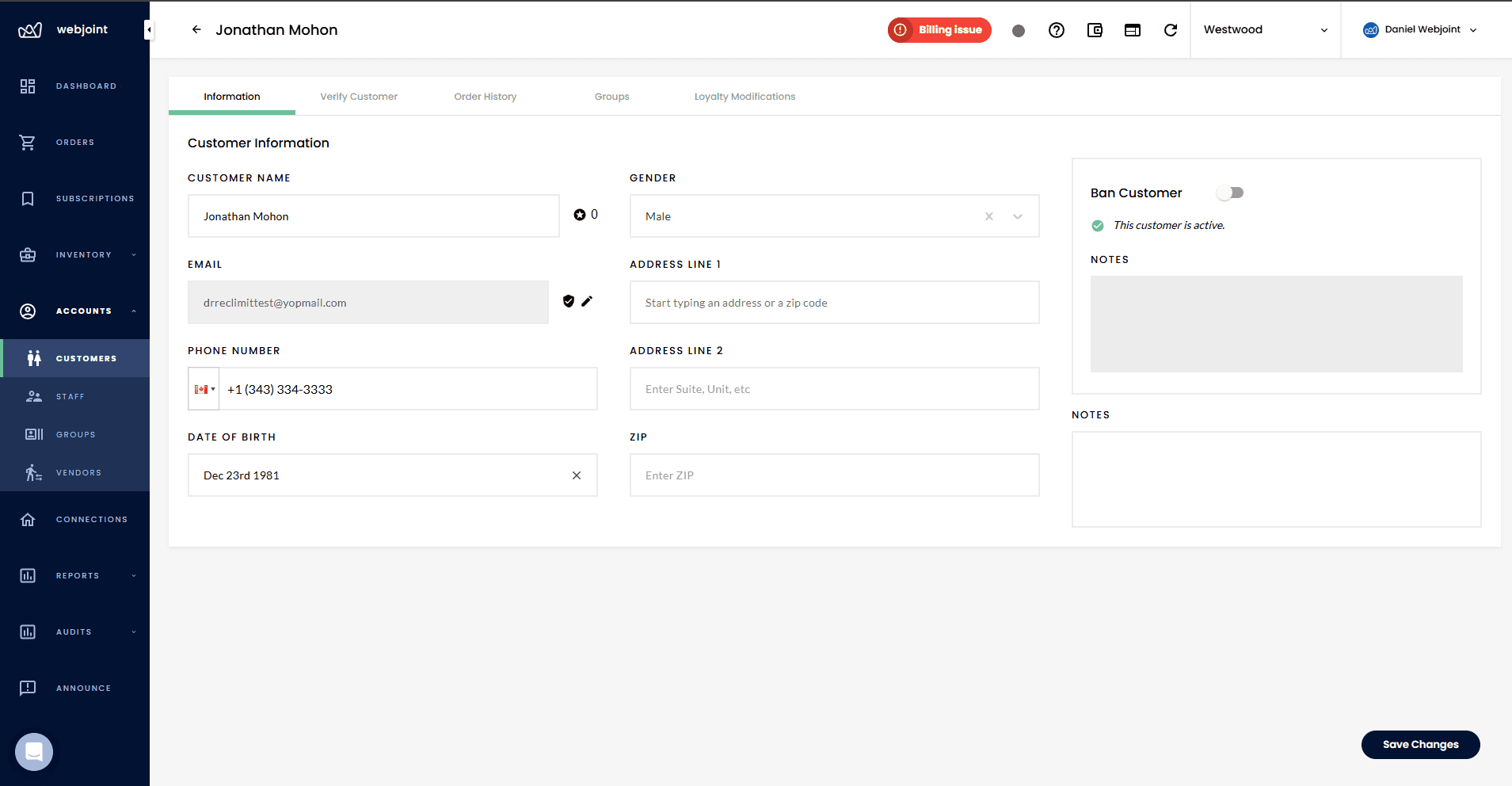
What a Customer Profile Includes
Every profile stores the data your team needs for sales, compliance, and customer service. All fields are accessible from the POS and the backend.
Compliance Built Into Every Customer Record
Customer profiles track ID verification status, purchase history, and regulatory purchase limits. Your team doesn't have to remember who's been verified or manually calculate how much a customer has purchased today.
If a customer exceeds the allowed purchase limit for their jurisdiction, the transaction is automatically blocked. This reduces compliance risk and prevents the kind of manual errors that lead to violations.
ID Verification
Each profile tracks whether the customer has been ID-verified, their license number, expiration date, and ID image.
Purchase Tracking
Every transaction is logged against the customer profile. The system knows what they have purchased and when.
Automatic Blocks
When a customer reaches their purchase limit, the system blocks the transaction at checkout. No manual math required.
Set Up Groups Once, Discounts Apply Automatically
Your team organizes customers into groups directly from their profile. Assign anyone to one or more groups in a few clicks.
Discounts can be configured to automatically apply based on group membership. When a VIP customer checks out, their pricing adjusts without anyone touching a button. For more on how discounts work, see the Discount Engine.
One Loyalty Balance Across Every Channel
Every profile shows the customer's loyalty balance in real time. Points stay consistent whether they order in-store, online, or through delivery. One balance, every channel.
Only managers can manually add or reduce loyalty points, keeping your program secure. Customers earn and redeem through normal transactions. For more on loyalty configuration, see the Loyalty Program page.
How Loyalty Works Per Profile
Recent Orders
Feb 10 - 3 items
Feb 6 - 2 items
Feb 2 - 4 items
Payment Methods Used
Every Order, Every Channel, One View
Every customer profile shows their complete order history across in-store, pickup, and delivery transactions. Your team can see what was ordered, when, and how it was paid for.
This gives budtenders and support staff the context they need to handle returns, answer questions, and coordinate deliveries without asking the customer to repeat themselves. For fulfillment workflows, see Order Management.
Internal Notes and Customer Controls
Staff can leave internal notes on any customer profile. These are visible to your team and useful for tracking preferences, flagging issues, or recording delivery instructions.
Customers can also be banned directly from their profile. Banned customers still appear in search for record-keeping purposes, but they cannot complete any transactions.
Internal Notes
Leave notes about preferences, issues, or delivery instructions that any team member can reference.
Ban Customers
Block a customer from completing transactions while keeping their record intact for compliance and reference.
See How Customer Profiles Work
Book a demo and we will walk you through profiles, compliance tracking, loyalty, customer groups, and everything your team needs to know every customer.
Customer Profiles Questions
Common questions about how WebJoint manages customer profiles across POS, ecommerce, and delivery, including compliance, loyalty, and customer groups.
Centralize Your Customer Data
See how one customer record replaces the spreadsheets, sticky notes, and duplicate entries slowing your team down.