Inventory Kits
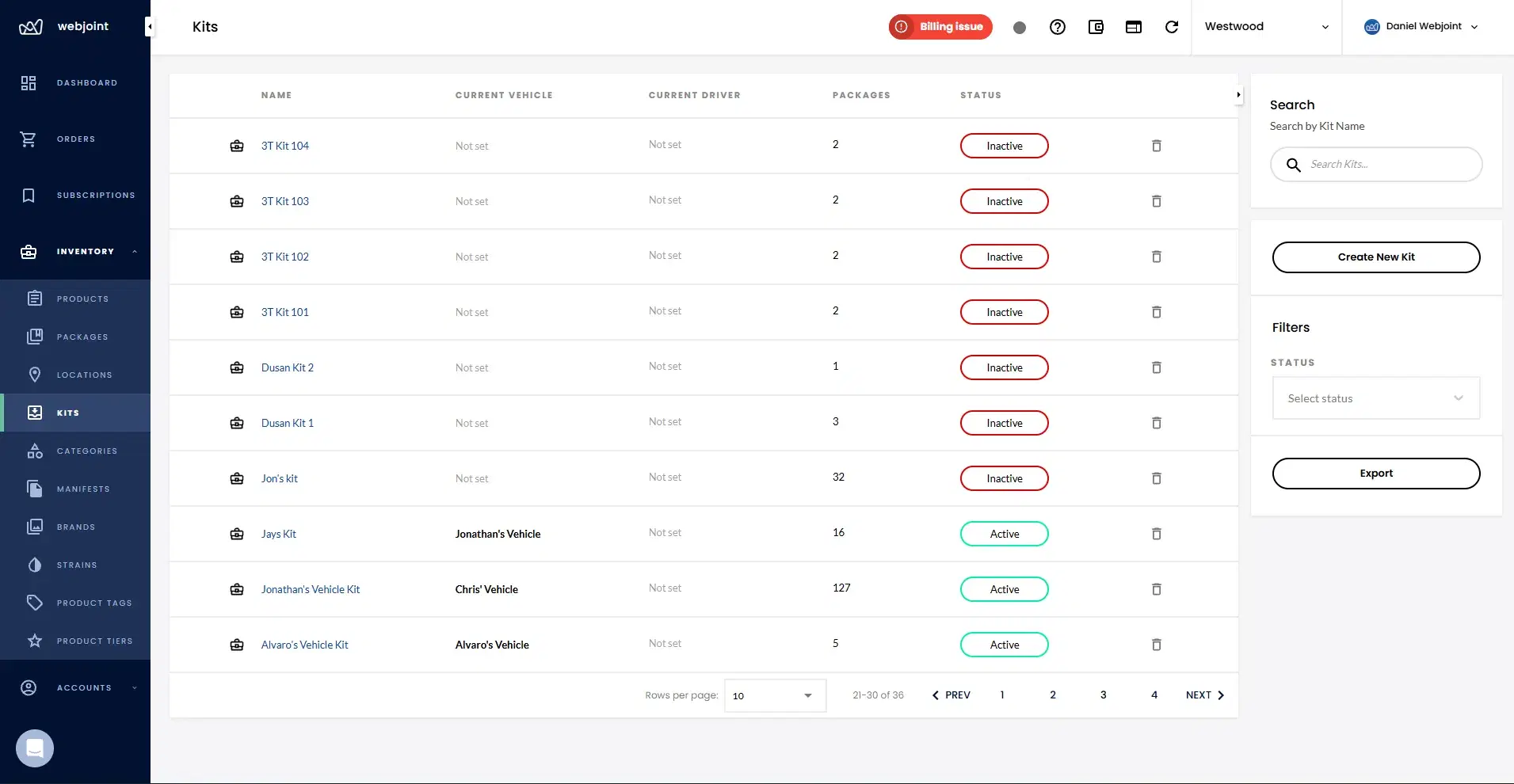
Preload inventory into vehicles to deliver faster, serve customers farther away, and process more orders per shift.
Vehicle Kit
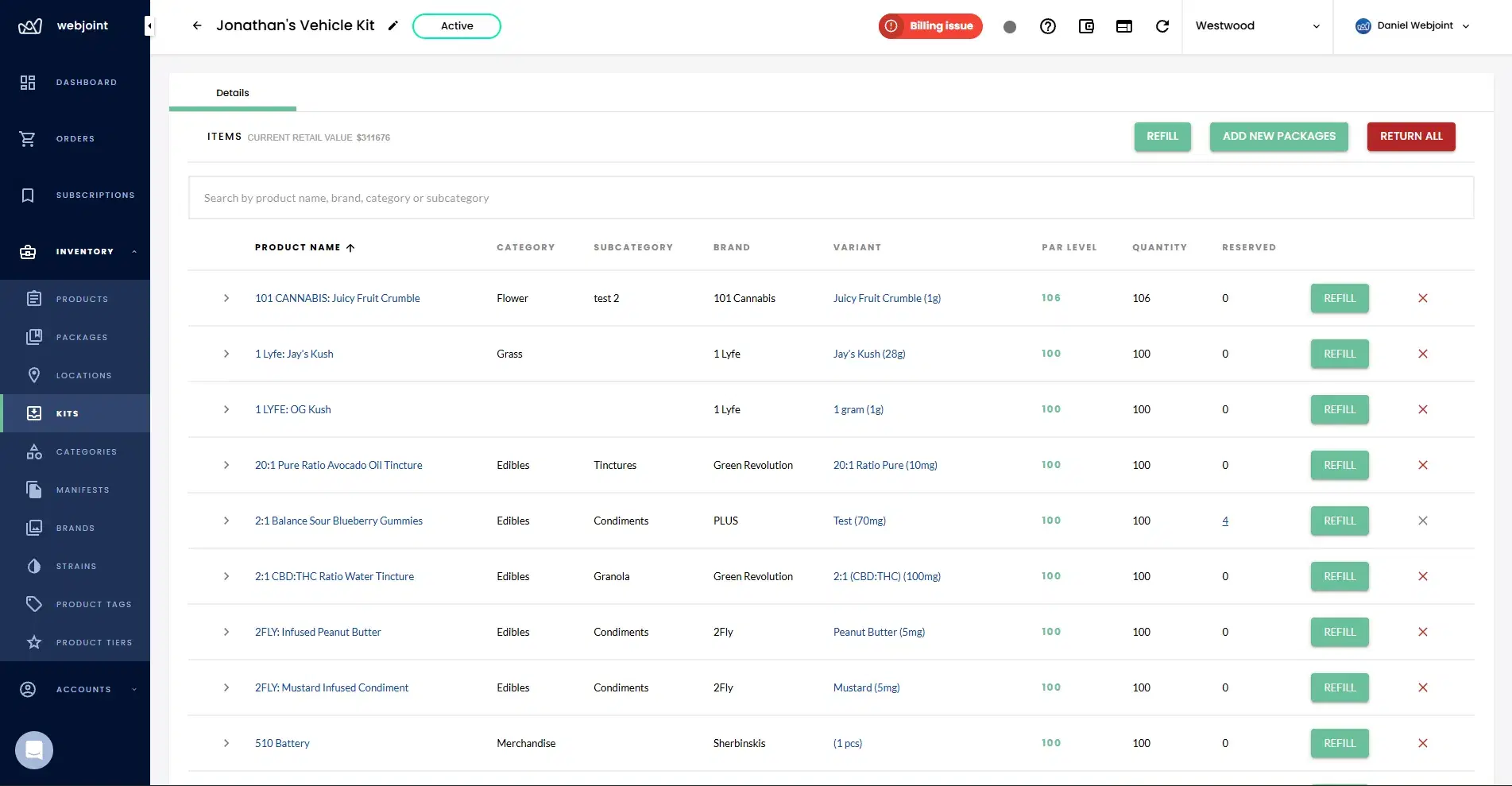
127 products
Shift Started
Kit locked to vehicle
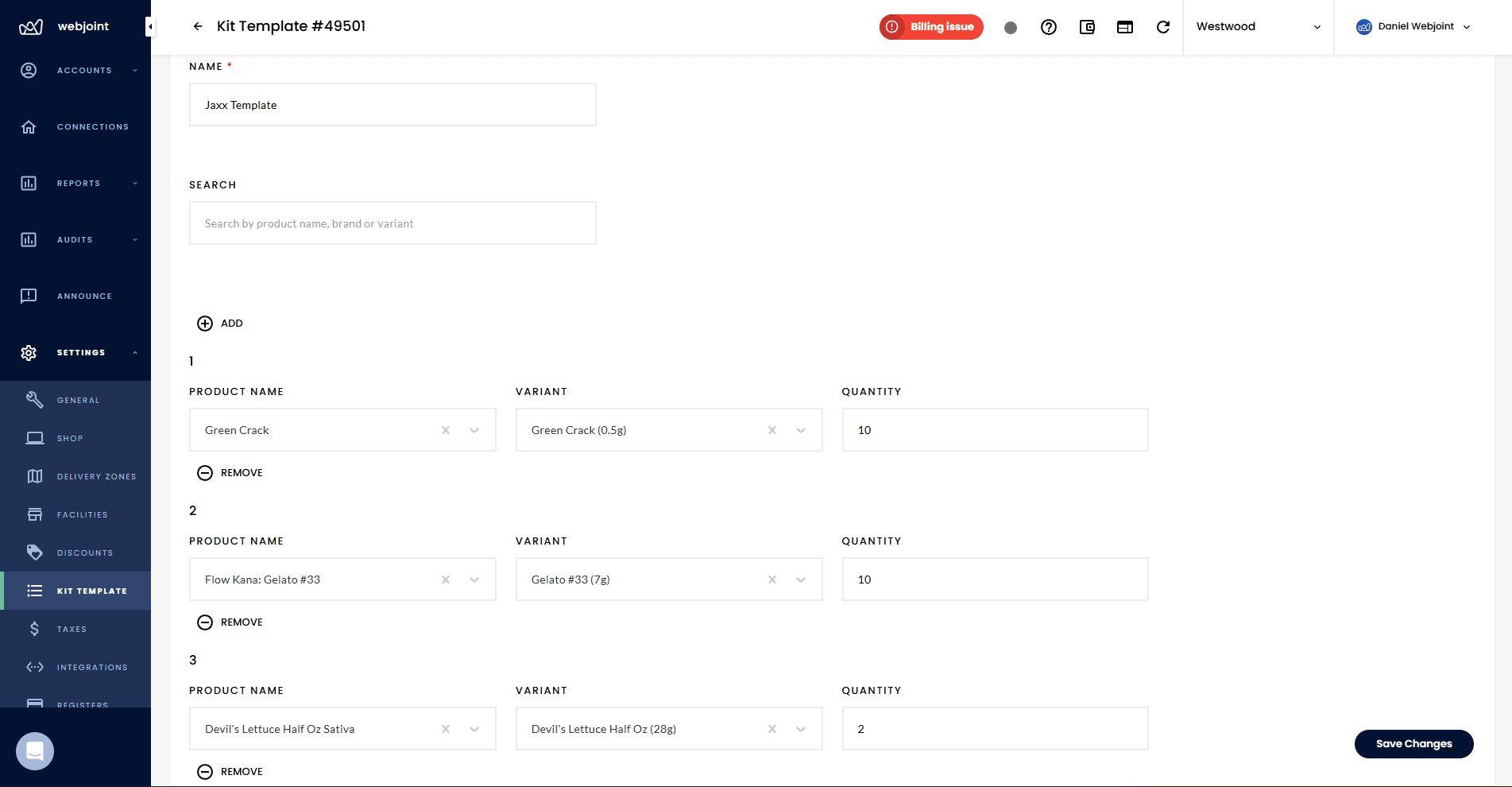
Jaxx Template
Applied to kit
Warehouse
254 packages
Par Levels
3 need refill
Deliver Faster with Preloaded Vehicles
An inventory kit is a predefined set of products and quantities you assign to a delivery vehicle. This is often called the "ice cream truck model" because your drivers leave the facility fully stocked and fulfill orders directly from the vehicle.
Inventory physically moves out of the warehouse and into a kit. Kits act as a third inventory room that can move between your warehouse and any vehicle, keeping stock levels accurate everywhere.
Set Up Any Vehicle in Minutes
Kit templates let you predefine common product sets and reuse them. Create a template once, then select it from a dropdown when building a new kit to instantly populate products and quantities.
How Orders Pull From Inventory Kits
When your driver has an active inventory kit, assigned orders pull from the kit first. Kit inventory is always prioritized over warehouse stock.
Non-Hybrid Zones
Orders assigned to a driver with a kit will never be sent to the warehouse. If multiple drivers are in a zone and one has no kit, warehouse orders route to the driver without a kit.
Hybrid Zones
Drivers with kits can receive both kit-fulfilled orders and warehouse pickup orders. If a product is unavailable in the kit, the system routes warehouse orders accordingly.
Order comes in
Customer places an order in the delivery zone.
System checks kit
WebJoint checks if the assigned driver has a kit with the required products.
Kit fulfills order
If the kit has stock, the order pulls directly from the vehicle inventory.
Fallback to warehouse
If no kit or product unavailable, the order routes to warehouse pickup.
Physical Inventory Transfer
Inventory physically moves from the warehouse room into a kit. Even unassigned kits remove that inventory from warehouse availability, preventing double counting.
Shared Product UIDs
Products can exist in multiple kits at once and originate from the same UID. Each kit tracks its own quantities independently while maintaining traceability.
Persistent Kits
Kits are not rebuilt from scratch every shift. Inventory moves cleanly between warehouse and vehicle, making end-of-day transitions faster.
Track Every Unit from Shelf to Vehicle
WebJoint treats kits as a real inventory location, not a virtual reference. When you move products into a kit, they leave the warehouse count immediately.
This is different from platforms that rebuild kits every shift or use virtual references. With WebJoint, your warehouse and vehicle inventory are always in sync, and kit-to-warehouse transfers happen cleanly.
Mid-Shift Adjustments and Tracking
Your kits are not locked once a shift starts. You have full control to adjust kit contents during an active shift.
All changes are tracked with the user who made them and a timestamp, so you always know what was adjusted and when.
Close Every Shift with Confidence
After a shift ends, inventory audits verify that what your driver returns matches what the system expects. Audits cover both product quantities and cash.
Your team can complete audits from a desktop browser or the WebJoint inventory app. Each audit is assigned to a specific employee and includes a deadline for completion.
Inventory Kits and Delivery Zones
Your zone settings determine whether kits are required, optional, or combined with warehouse fulfillment. Hybrid zones give you flexible fulfillment models where drivers pull from both their kit and the warehouse.
The combination of zone configuration and driver assignment determines how every order gets routed and fulfilled. Set up your zones correctly and kits work exactly the way your operation needs.
Ready to see inventory kits in action?
Book a demo and we will walk you through setting up kits, templates, and zone-based fulfillment for your delivery operation.
Inventory Kits Questions
Common questions about inventory kits, templates, order fulfillment, and the ice cream truck delivery model.
Deliver Faster with Inventory Kits
See how inventory kits help you preload vehicles, cut delivery times, and process more orders per shift with the ice cream truck model.