Online Store
A compliant, conversion-focused online storefront built for cannabis delivery and pickup, with real-time inventory, zone-aware menus, and a smooth checkout experience.
Express Menu
Vehicle inventory
Zone-Aware
4 active zones
Compliant
ID verified
142
Products
Live
Inventory
SMS Updates
Driver arriving
Real-Time
Stock synced
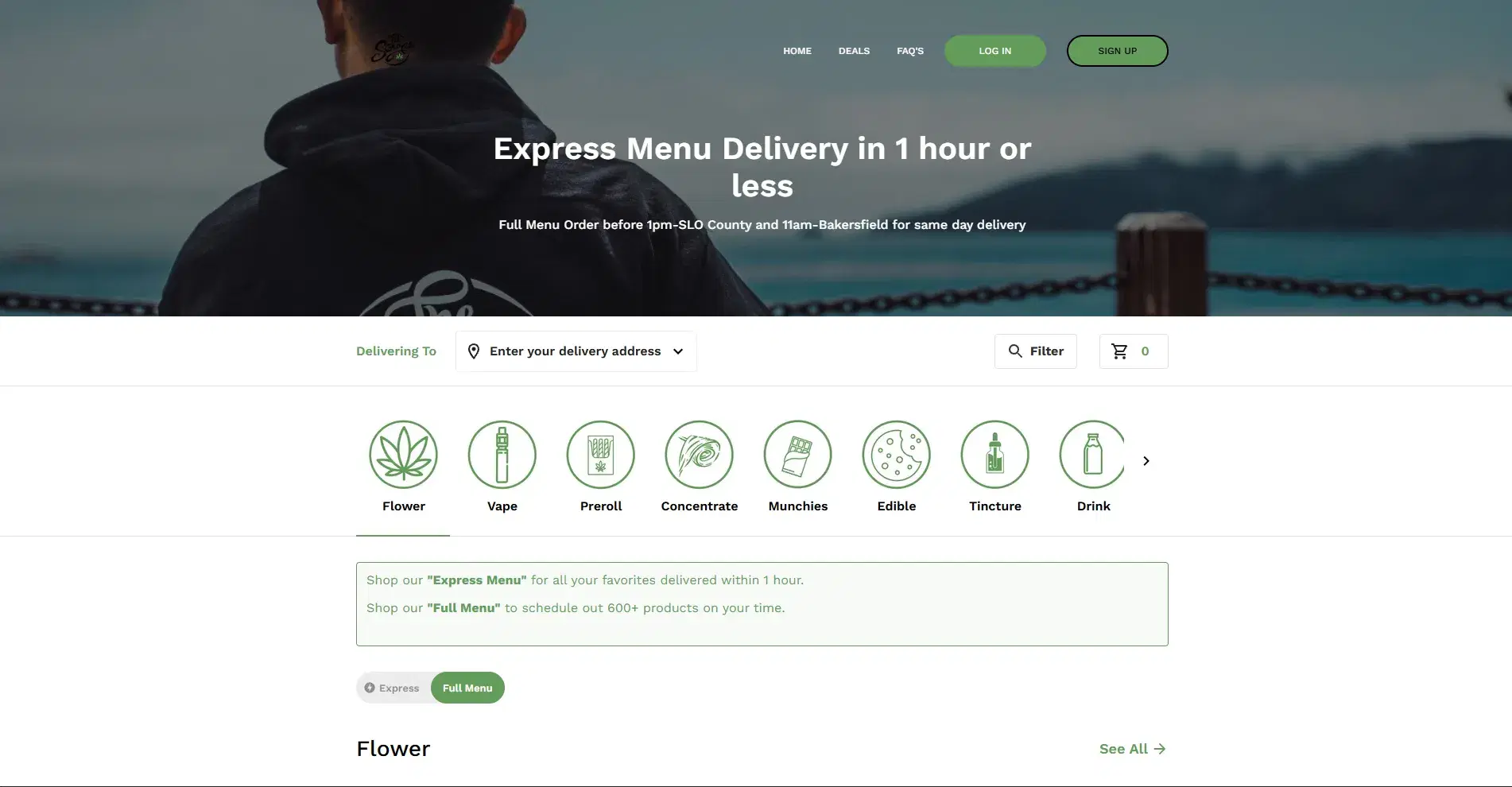
A Full Ecommerce Experience for Cannabis
The WebJoint Online Store is a complete ecommerce storefront designed for regulated cannabis sales. Customers browse products, view details, add to cart, check out, and track their orders, all from a single branded website.
Your store supports both delivery and pickup, with inventory that updates in real time so customers only see what is actually available.
Branded Storefront
Your logo, colors, and domain. Customers shop on your website, not a third-party marketplace.
Real-Time Inventory
Products reflect current stock levels. Out-of-stock items are hidden automatically.
Zone-Aware Menus
Product availability and pricing adjust based on the customer delivery address.
Compliance Built In
Age verification, ID submission, and purchase limits enforced at every step.
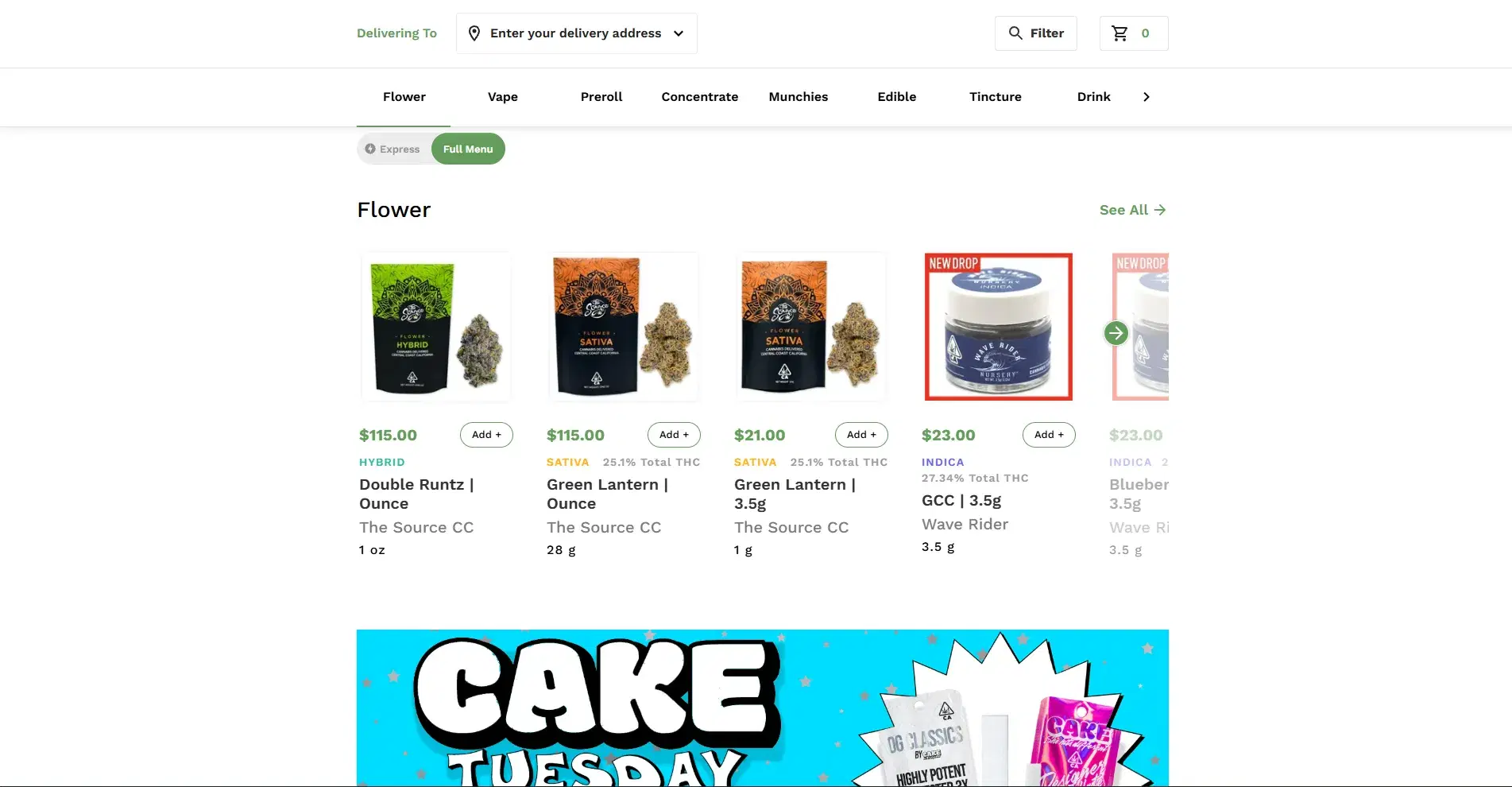
Browse Products With Real-Time Availability
Customers browse products using categories, search, and filters. Inventory availability updates in real time based on the customer's delivery zone and fulfillment rules.
Express Menu
Shows inventory available in the delivery vehicle. Faster fulfillment for customers who want what is already on the road.
Full Menu
Shows the entire warehouse inventory. Wider selection for customers who want to browse the full catalog.
Customers can toggle between Express Menu and Full Menu to choose between speed and selection.
Customers Only See What You Can Deliver
The Online Store is delivery-zone aware. Customers can only place orders if their address falls within an active delivery zone. Products, delivery fees, minimum order thresholds, and delivery-fee waivers all apply automatically based on the zone.
Outside delivery area?
If a customer's address is outside your delivery zones, the website notifies them before an order can be placed. No wasted orders, no confusion.
"We don't currently deliver to this address. Please check back or try a different address."
Checkout Flow
Payment Methods
Checkout Built for Cannabis Compliance
Customers must submit ID information during checkout. There is no guest checkout. Delivery fees and minimum order thresholds are clearly reflected before the customer completes their purchase.
ACH with Straddle is the only payment method currently integrated. Operators can customize to support other payment methods based on their preferences.
Tips: Tips are supported but are collected at delivery through the driver app, not during online checkout.
Order History, Addresses, and Loyalty in One Place
Every customer who shops on the Online Store has an account. From their account, customers can manage their information and review past activity.
Customers can view past orders but cannot reorder from their order history.
Promo Codes
Create and distribute promo codes for campaigns and special offers.
Auto Discounts
Discounts apply automatically at checkout based on your configured rules.
Loyalty Points
Customers earn and redeem points. Balances are visible in their account.
Drive Repeat Purchases With Promotions
The Online Store supports promo codes, automatic discounts, and loyalty points. Set up the rules once and let the system handle the rest at checkout.
Compliance Gates at Every Step
The Online Store enforces compliance requirements throughout the shopping experience. Every customer must pass through verification gates before completing a purchase.
Age Gate
Age verification before browsing products.
ID Submission
Photo ID required during checkout.
Purchase Limits
Quantity limits enforced per transaction.
Zone Eligibility
Delivery address must fall within an active zone.
Compliance Checkpoints
Customer confirms legal age before accessing the store.
Valid government-issued photo ID submitted at checkout.
System blocks orders exceeding daily or transaction limits.
Delivery address validated against active delivery zones.
Order Status Progression
Order placed, awaiting processing
Assigned to a driver for delivery
Driver is en route to the customer
Order delivered successfully
SMS Notifications
Keep Customers Informed at Every Step
WebJoint sends SMS notifications when the order is placed, when the driver is on the way with an ETA, when the driver is one mile away, and when the driver arrives.
Customers can track order status on the website at any time. For safety, driver location is not displayed to customers.
Status progression: pending → dispatched → in progress → completed
Make the Store Yours
Control every aspect of your storefront from the backend and the frontend editor. Change branding, update products, and build pages without writing code.
Backend Controls
Frontend Section Editor
Brand Settings
Colors, logo, identity
Pick your brand colors and apply across the storefront.
Section Editor
Banners, HTML, carousels
Ready to see the Online Store in action?
Book a demo and we will walk you through the storefront, menus, checkout, and everything your ecommerce operation needs.
Online Store Questions
Common questions about the WebJoint Online Store, zone-aware menus, checkout, payments, notifications, and storefront customization.
Launch a Smarter Online Cannabis Store
Request a demo to see how WebJoint's Online Store combines compliance, real-time inventory, zone-aware menus, and flexible payments into a complete ecommerce experience.