Vehicle Management
Open and close vehicle shifts, assign delivery zones, lock inventory kits, and manage WMID and shift accountability from one centralized workflow.
Shift Active
3 zones assigned
Delivery Zones
6 zones active
Kit Locked
126 packages
23
Vehicles
8
On Duty
WMID Linked
Weedmaps active
Start Shift
All fields ready
What Vehicle Management Covers
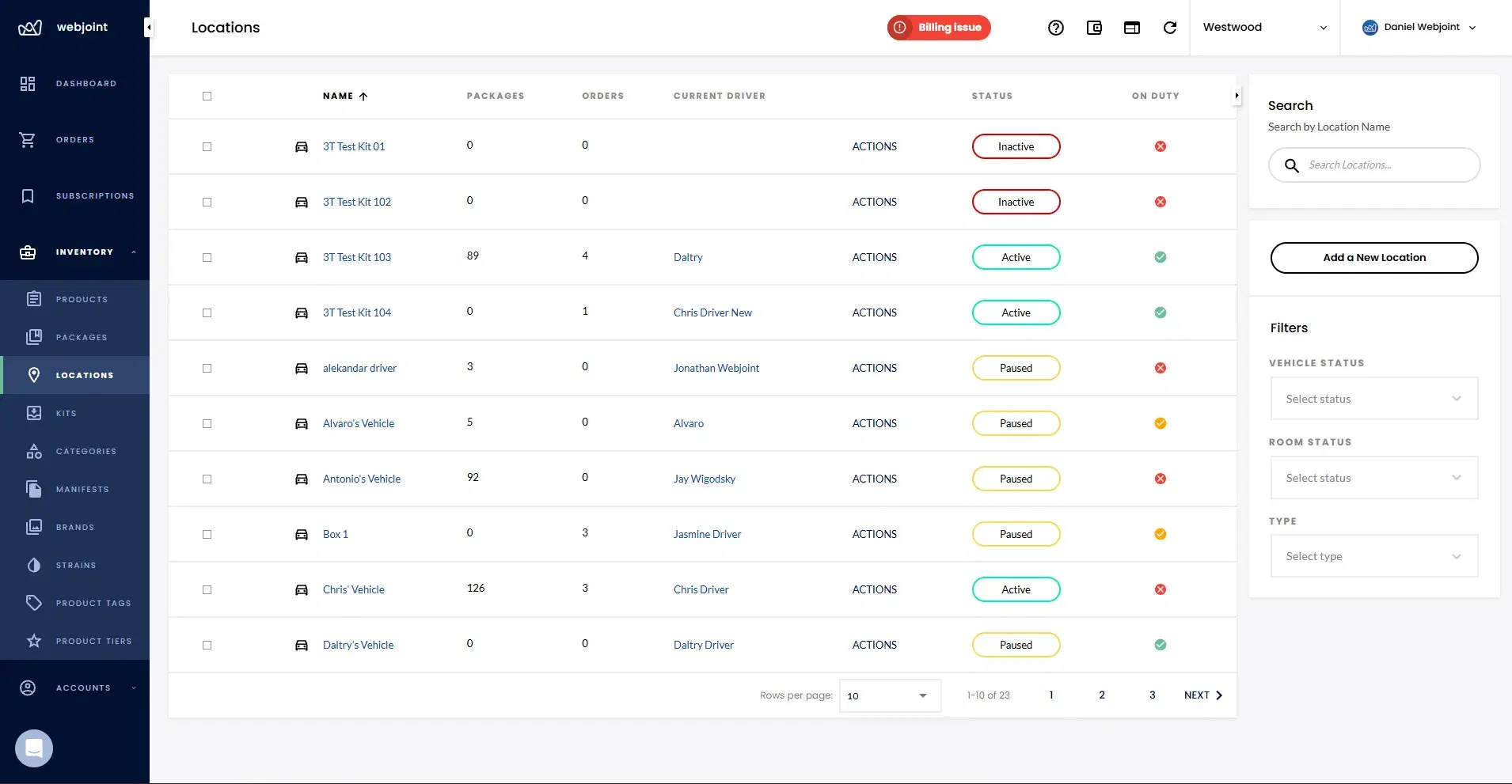
Vehicle management in WebJoint focuses on vehicle-level operations and shift accountability. Every delivery shift starts and ends here.
Vehicles Are Independent From Drivers
Vehicles exist as separate objects from drivers. This supports operations where the delivery service owns vehicles and assigns different drivers per shift.
A vehicle maintains its own identity, WMID association, and inventory kit independent of which driver is assigned. When a new shift starts, the driver changes but the vehicle record stays the same.
Starting a Vehicle Shift
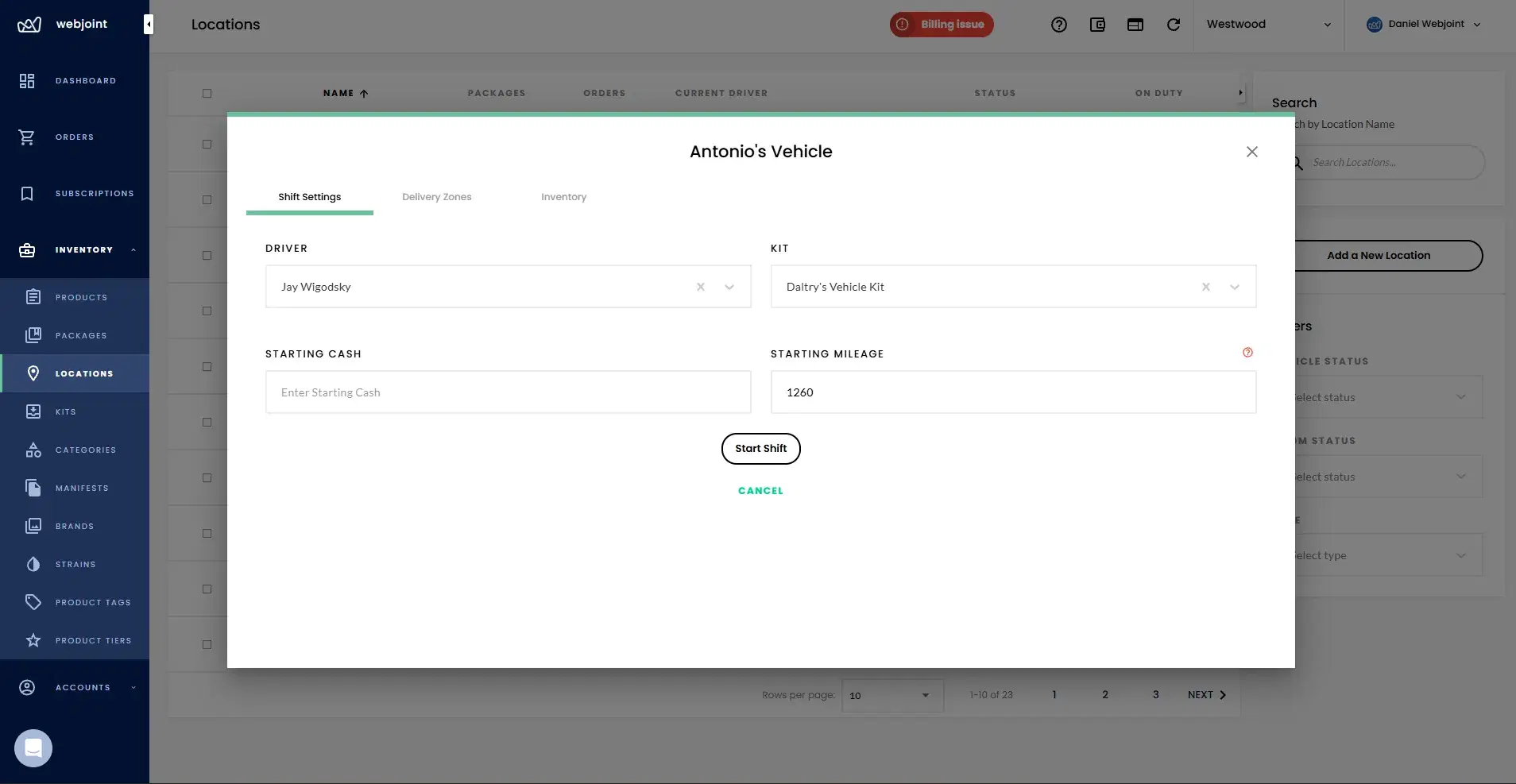
Starting a shift creates the operational record before deliveries begin. All required fields must be completed before the vehicle is active for dispatch.
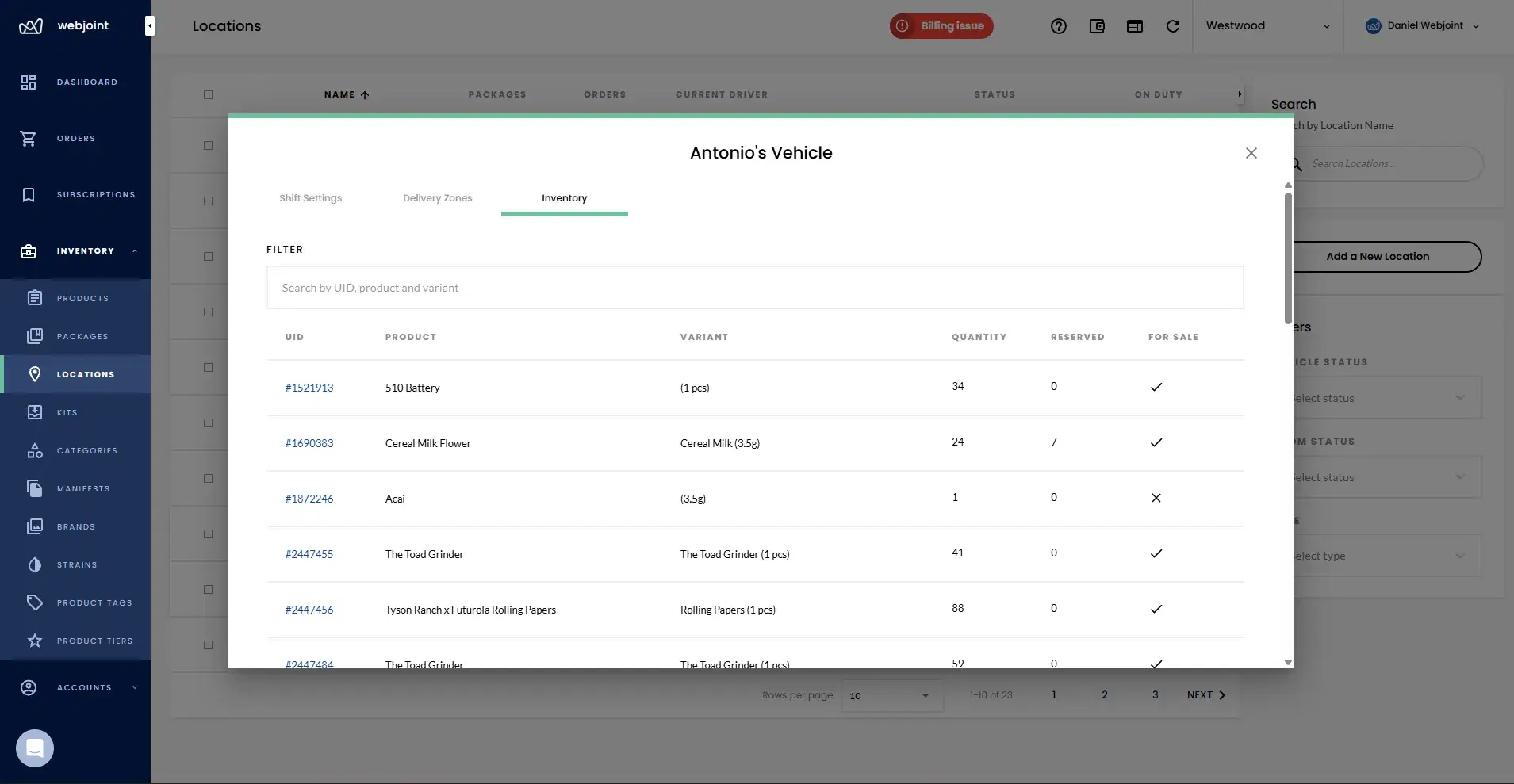
Once the shift is open, inventory locks to the vehicle. Administrators can still add items and adjust products in the inventory kit during an active shift.
How Are Inventory Kits Assigned?
Kit Assigned
If an inventory kit is selected, deliveries pull from that kit. The kit locks once the shift starts.
No Kit Assigned
If no kit is selected, the system automatically assigns the driver to warehouse inventory. Orders pull directly from the warehouse.
Hybrid Zones
Hybrid zones allow access to both kit and warehouse inventory simultaneously. Drivers cannot deliver inventory they are not assigned.
Inventory locks after shift start. Admins can add items and adjust products during an active shift.
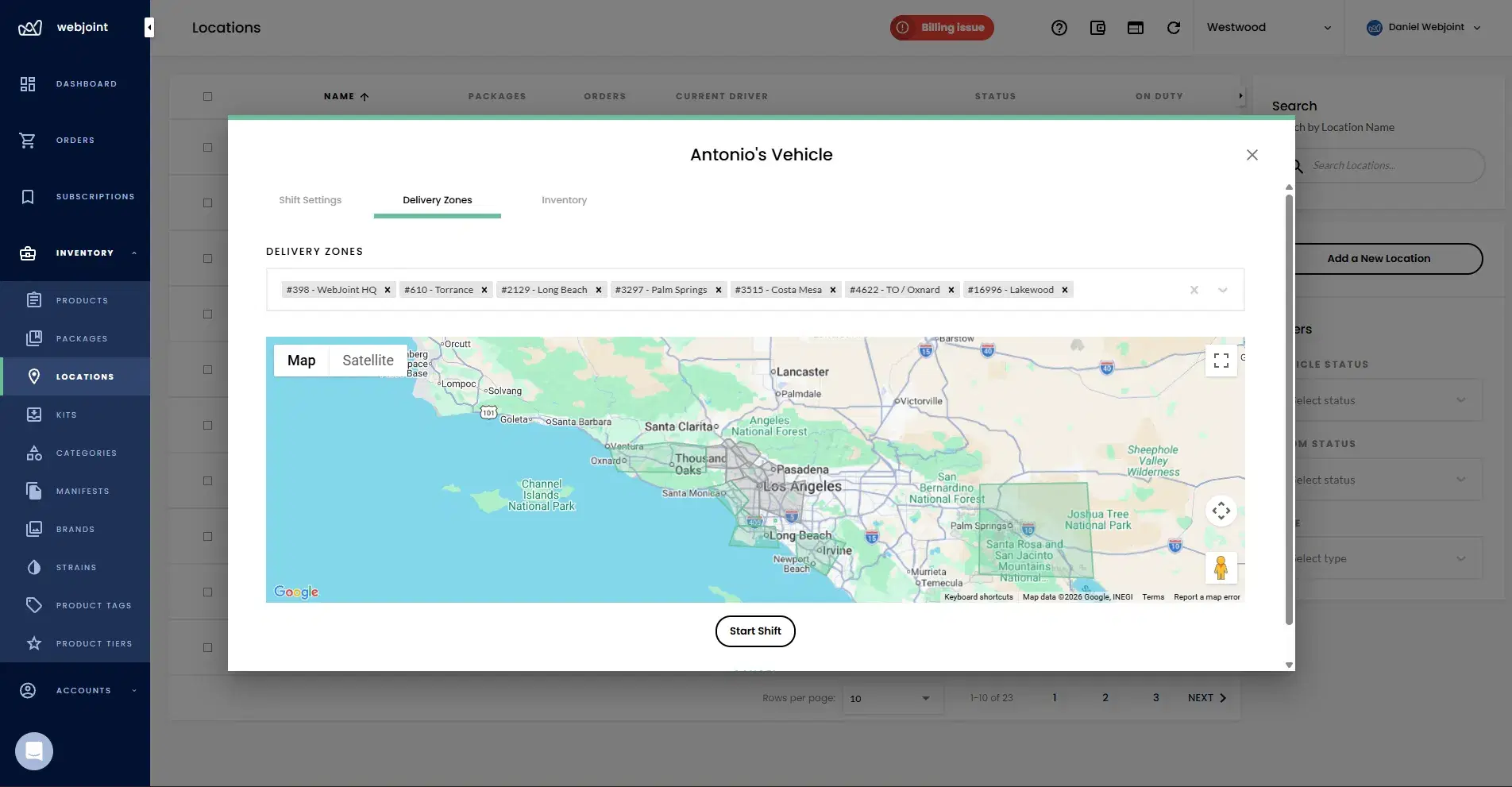
How Are Delivery Zones Assigned?
Zones are custom-drawn geographic areas managed on the Delivery Zones page. Zone assignment is required to start a shift. Vehicles can be assigned to multiple zones, and zones can be changed mid-shift.
Dispatch Logic
When multiple drivers are assigned to the same zone, orders route to the driver who can reach the drop-off location fastest.
What Is WMID and How Is It Used?
Each vehicle is associated with a single WMID (Weedmaps ID). The WMID is assigned per vehicle, not per shift, so it persists across multiple shifts.
A WMID is not required to start a shift. When set, it links the vehicle to its Weedmaps listing for order intake and visibility.
Closing Shifts and Shift Audits
Closing a shift finalizes the operational record and triggers an audit workflow for accountability.
Shift logs are retained permanently. Shift reports are available through the Reports section for review and compliance documentation.
Vehicle Management Questions
Common questions about vehicle shifts, inventory kits, delivery zones, WMID assignment, and shift audits.
See Vehicle Management in Action
Request a demo covering vehicle shifts, inventory kits, delivery zones, WMID association, and shift audits. See how WebJoint keeps your delivery fleet accountable.