METRC Login Colorado: Step-by-Step Setup
Contents
- What Metrc Is and Why Required
- How to Log Into Metrc Colorado
- Administrator Versus User Access Roles
- What to Do If Locked Out
- How a Metrc-Synced POS Helps
- Spend Less Time Logging In
Colorado cannabis licensees log into Metrc at co.metrc.com, the state's official Metrc login portal. First-time users set up access with a login key tied to their email, which the state issues.
Colorado requires licensed medical and recreational marijuana businesses to use Metrc to report state-mandated inventory information. The state's Marijuana Enforcement Division (MED) describes this system as essential to its oversight of the regulated marijuana industry.
This matters whether you run a storefront, a delivery operation, or both, since Colorado requires every licensed marijuana business to use Metrc. Not every staff member needs the same access level, either. Who should log in, and at which level, depends on the role, a question this article answers further down.

What Metrc Is and Why Colorado Requires Licensees to Use It
This kind of system is called seed-to-sale tracking: software that follows marijuana plants and products from cultivation through final sale.
Colorado's Code of Regulations (1 CCR 212-3-3-805) requires licensees to use Metrc as their primary inventory tracking system of record. This is a requirement for every Colorado licensee, not optional advice.
Being the system of record means Metrc holds the version of a license's inventory that Colorado checks, not whatever a business tracks separately.
A reputable news report says MED describes the Inventory Tracking System as supporting compliance, product safety, diversion prevention, tax accountability and consumer protection. As of September 2026, Colorado extended its contract with Metrc to keep operating this track-and-trace system through 2029. The new agreement also adds data-analysis tools and consumer-facing QR codes to the state's program.
For a deeper look at how this tracking system works, see the explainer on what Metrc is and how it tracks cannabis compliance. For the state's full rule set, see the overview of Colorado cannabis regulations.
Metrc Inspect is a separate mobile app, not the online dashboard covered in the next section. If you're looking for the sign-in screen, go to co.metrc.com rather than an app store listing for Metrc Inspect.
How to Log Into Metrc Colorado (co.metrc.com): Step-by-Step for First-Time and Returning Users
Colorado licensees set up and sign into Metrc at co.metrc.com's first-time login page, the state's official login site. New users complete setup with a login key the state sends to their email address.
Follow these steps the first time you log in:
- Go to co.metrc.com, the official Metrc login site for Colorado licensees.
- Choose the first-time user option on the login page.
- Enter the login key the state sent to your email address.
- Follow the prompts to finish setting up your account.
Once your account is set up, returning to Metrc is simpler: go to co.metrc.com and sign in with your username and password. No login key is needed after the first setup.
Keep your account details secure once setup is complete. Share access only with the staff member who actually needs it, at the role covered next.
Metrc Administrator vs. User Access in Colorado: Who on Your Team Needs Which Role
Colorado's Metrc system has two main access levels: Administrator and standard User. A person must attend and successfully complete all required Inventory Tracking System training before Colorado grants Administrator access. Colorado's rules confirm that training requirement. They do not list a separate set of permissions for standard User access. Each business sets up its own User accounts under an Administrator.
| Access level | Who should hold it |
|---|---|
| Administrator | The owner, compliance lead or manager who sets up the account and oversees reporting. Colorado requires this person to attend and complete all required Inventory Tracking System training. |
| User | Staff who log routine transactions once an Administrator sets up their account. |
The owner, compliance lead or manager who handles Metrc reporting is the person who should complete the training required for Administrator access. Staff who only log routine transactions, such as daily sales entries, can use standard User access once an Administrator sets up their accounts.
This split works the same way for dispensaries and delivery operators. A dispensary might give Administrator access to the general manager who owns reporting, and User access to each budtender who logs daily sales. A delivery operation can follow the same pattern: Administrator access for whoever manages compliance, and User access for staff who process day-to-day orders.
Because Colorado ties Administrator access to completed training, limiting that role to a few trained people often makes sense. Giving someone Administrator access without finishing that training does not meet Colorado's requirement, even for temporary coverage.
What to Do If You're Locked Out of Metrc or Waiting on MED-Issued Credentials
If your first-time login key never arrives, follow up with the state's issuing process for your account. That's the same process covered in the setup steps above. A key that does not show up in your inbox is sometimes caught in a spam filter. Check there before assuming the state has not sent it. Treat a missing key as a credentials delay, not a password problem you can fix on your own.

Sometimes an account is already set up but stops working anyway, such as a locked password or a page that will not load. Check the Is Metrc Down? Check Status Now page for a live status check before troubleshooting further.
For anything beyond a status check, confirm the right contact with Colorado's Marijuana Enforcement Division or Metrc directly. No POS provider can issue or reset Metrc credentials; that access runs through the state alone.
How a Metrc-Synced POS Cuts Down Routine Manual Logins
WebJoint's cannabis POS software handles compliant checkout, real-time inventory, kiosk mode, customer profiles and Metrc integration in one system. Kiosk mode lets a customer browse and start an order on a self-service screen while staff handle other tasks.
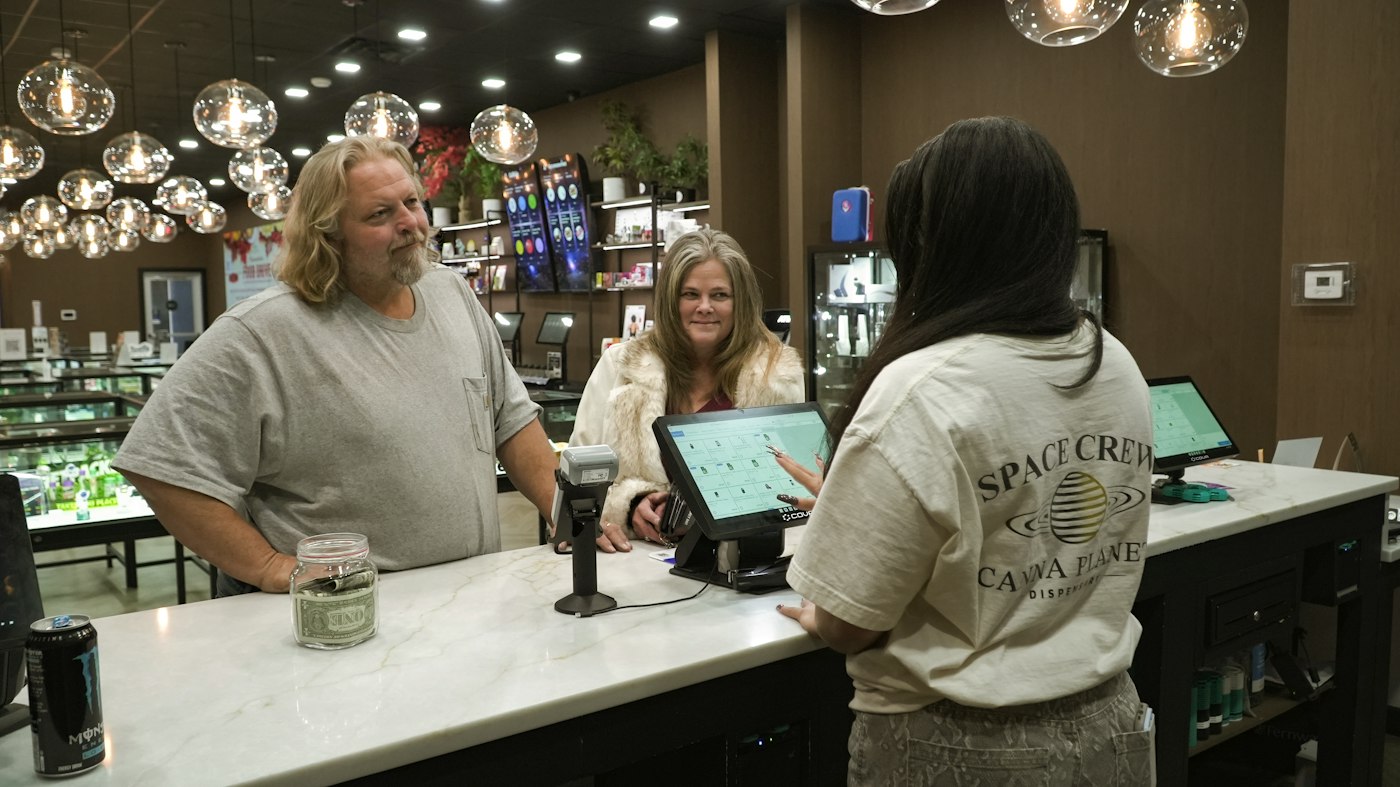
Real-time inventory means stock counts update the moment a sale happens, instead of being checked and re-entered later. Customer profiles store a shopper's purchase history and ID verification in one place. Staff complete these tasks inside the POS instead of opening the co.metrc.com dashboard separately for each one.
The same system syncs Metrc package intake, purchase limit enforcement, Metrc sales delivery manifests and inventory adjustments to Metrc automatically. Package intake means recording new inventory into Metrc as it arrives. Purchase limit enforcement means the system checks each sale against the state's limits before it completes. A sales delivery manifest lists what's in a delivery and where it's going.
Inventory adjustments update stock counts in Metrc when product is damaged, lost or recounted. Without that kind of sync, staff enter each of those records directly in the Metrc dashboard by hand.
This sync works through the Metrc API, a channel that lets outside software, like a POS, exchange data with Metrc directly. That's the connection behind the package intake and manifest sync described above.
This integration extends to delivery operations through the platform's cannabis delivery software. That includes route optimization, real-time dispatch, a driver app, delivery zones and inventory kits. Because delivery manifests are part of the Metrc sync described above, delivery operators get the same Metrc coverage dispensaries do. See the Colorado cannabis delivery software page for delivery-specific features.
The platform integrates with Metrc, BioTrack, Leaf Data and other state-mandated seed-to-sale tracking systems. BioTrack and Leaf Data are seed-to-sale systems some other states require, which matters for an operator running licenses in more than one state.
It also connects with Weedmaps, Alpine IQ, Straddle for ACH payments and Zapier for webhooks. Weedmaps is a cannabis listing and ordering platform. Alpine IQ handles marketing and loyalty programs, and Zapier connects the POS to other apps a business already uses. These connections run alongside the Metrc sync, rather than adding a separate login or manual step.
This POS and delivery system serves licensed cannabis operators across the United States, including Colorado. See the cannabis POS software page for the full feature list. The system handles these compliance tasks, but the operator stays responsible for meeting Colorado's Metrc requirements.
A Metrc-synced POS does not replace the official Metrc login. Administrators still need direct dashboard access for setup, audits and anything outside daily sales, delivery and inventory tasks.
Ready to Spend Less Time Logging Into Metrc Manually?
Routine Metrc work does not have to fall on staff one login at a time. WebJoint's cannabis POS software provides compliant checkout and real-time inventory with Metrc integration for licensed operators in Colorado and across the United States. Book a Demo to see how a Metrc-synced POS fits your Colorado operation.